Set up with you, from goal pool to go-live.
Lite Software Solutions (LSS) sets up your deployment, loads your goal pool, imports your people and trains your team, then gives you priority help in your first month.
Your system, set up for your centre.
Your own deployment
An isolated app, database, file store and secrets, shared with no other centre. Hosted in your region, and in-country wherever a suitable data centre is available, to meet your data requirements.
Your name, colour and language
Your centre’s name and accent colour, and one language for the whole centre: English, Arabic (right to left) or Malay.
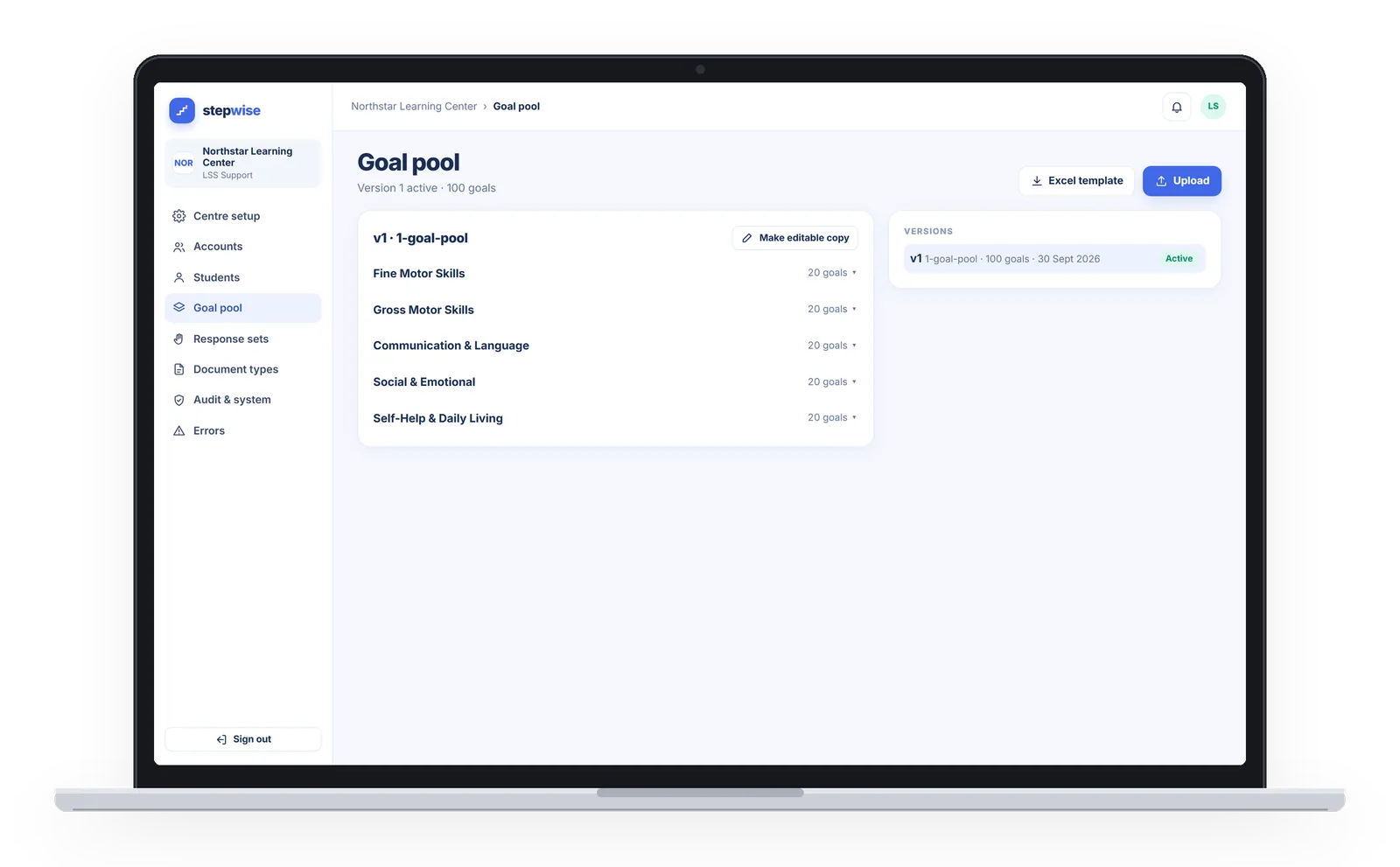
Your goal pool, loaded by LSS
Built from your own curriculum, agreed with you in meetings and confirmed by you, then loaded from an Excel or CSV template.
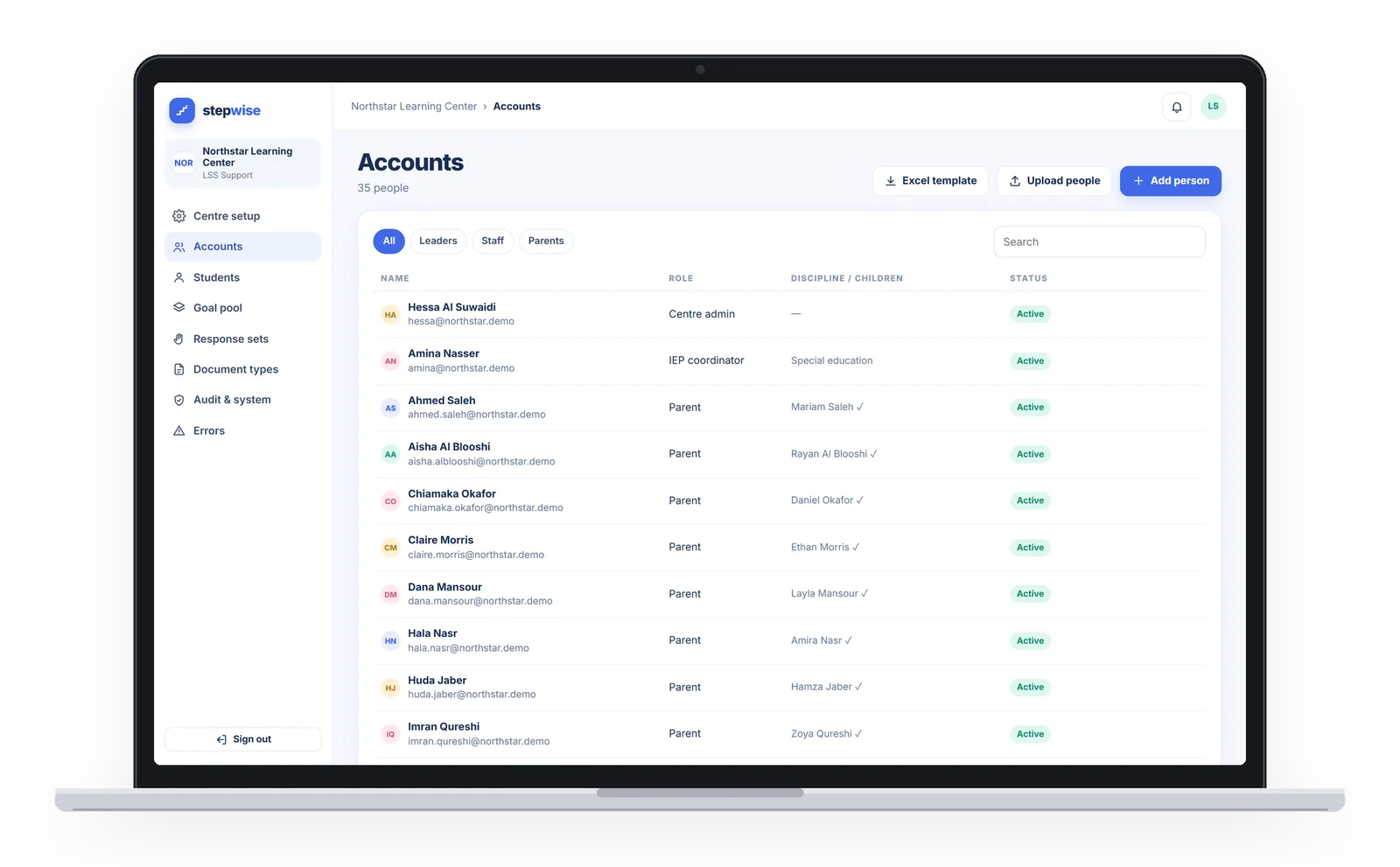
Your accounts, imported
Staff, students and parents, imported from Excel templates.
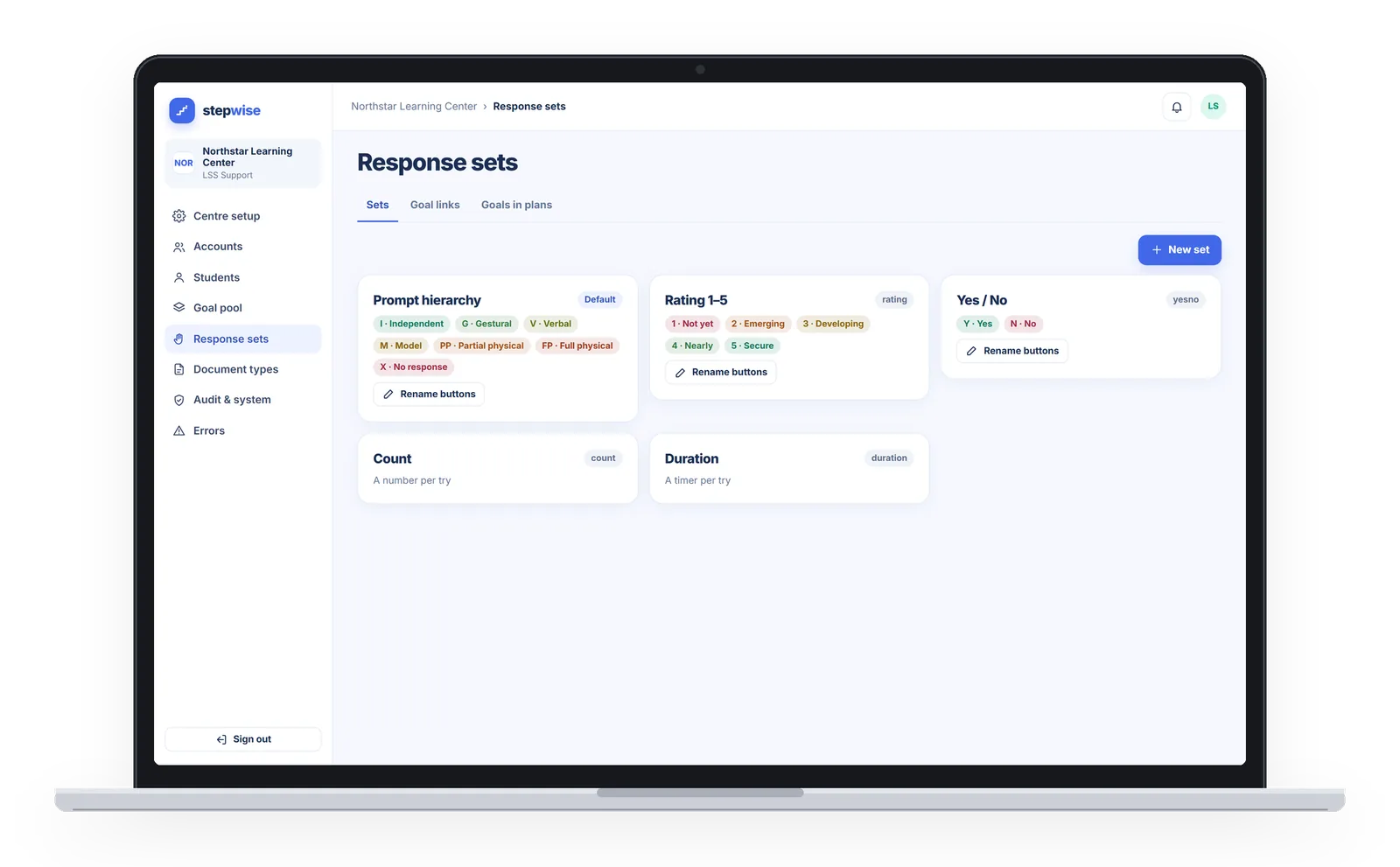
Response sets and document types
Response sets (counts, durations, yes/no) and the document types your records use, configured for you.
Setup only, never your records
LSS’s super admin role handles this setup, and cannot open student records, documents, session logs, plans, or IEP and annual reports.
Your team, trained and supported.
Role-based training
Training for centre admins, coordinators and therapists, each on the parts they use, and a quick-start for parents.
First-month go-live support
Priority help in your first 30 days, while your team settles in.
Your past IEPs, uploaded
With your go-ahead, we upload your past IEPs and assessment reports into each student’s record, filed by year, month and type. After setup, LSS’s account cannot open them.
Five steps to go-live.
- Kick-off and configurationWe agree your region, name, colour and language, and set up your own deployment.
- Goal pool loaded by LSSWe turn your curriculum into a goal pool with you. You confirm it, and we load it.
- Accounts imported, past IEPs uploadedStaff, students and parents come in from Excel templates, and past IEPs and assessment reports go into each record.
- Role-based trainingCentre admins, coordinators and therapists learn the parts they use. Parents get a quick-start.
- Go-live, with first-month supportYour team starts using StepWise, with priority help for the first 30 days.
Four things from your side.
Your curriculum and goals
The goals you already teach to. We turn them into your goal pool together.
Your staff list
The people who will use StepWise at your centre, in our Excel template.
Your student list
Your students and their parents, in our Excel templates.
Your past documents
Past IEPs and assessment reports, for each student’s record.
StepWise setup: common questions
Do we need to change our curriculum?
How do staff, students and parents get their accounts?
Can we bring last year’s IEPs and reports?
What training is included?
What help do we get when we go live?
Which languages can our centre use?
Where will our centre be hosted?
Talk to us about setting up your centre.
Tell us about your centre, and we will walk you through setup, training and your first month.